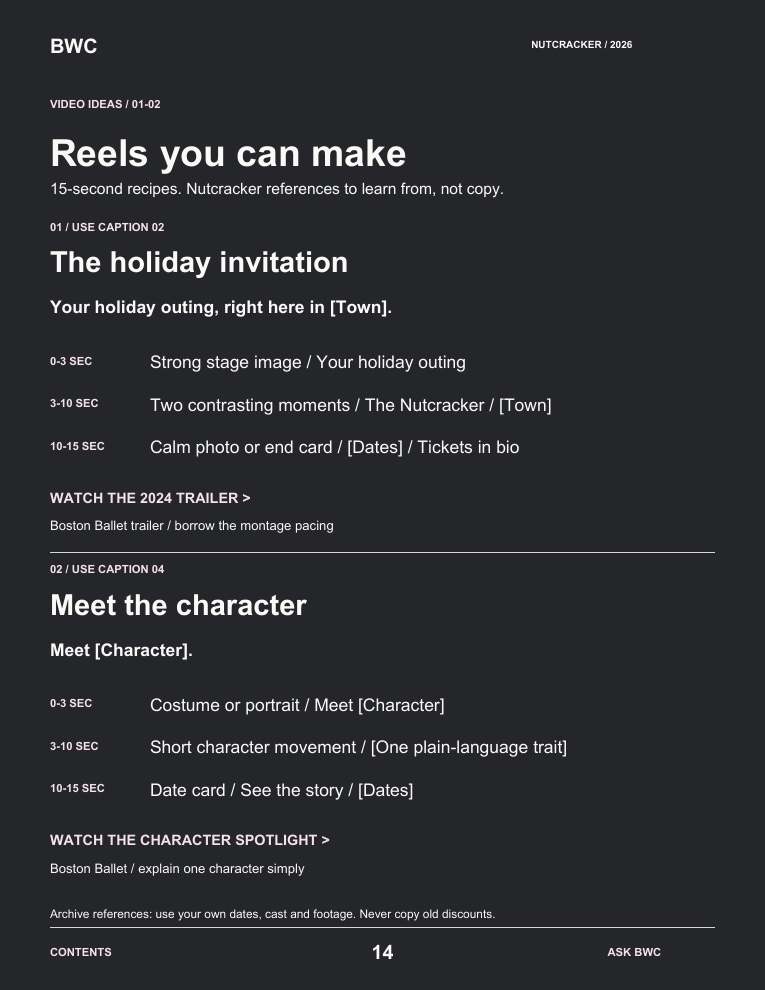
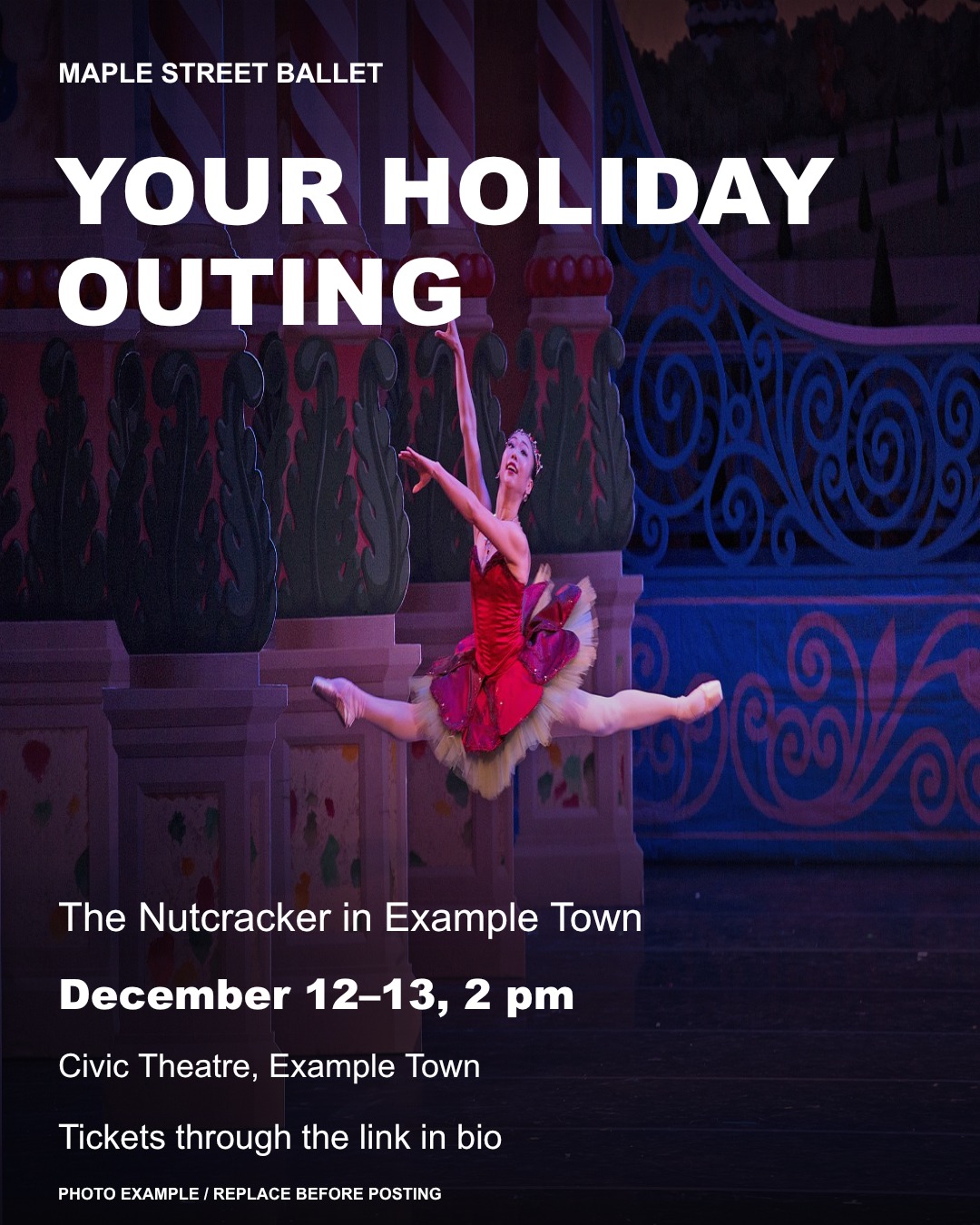
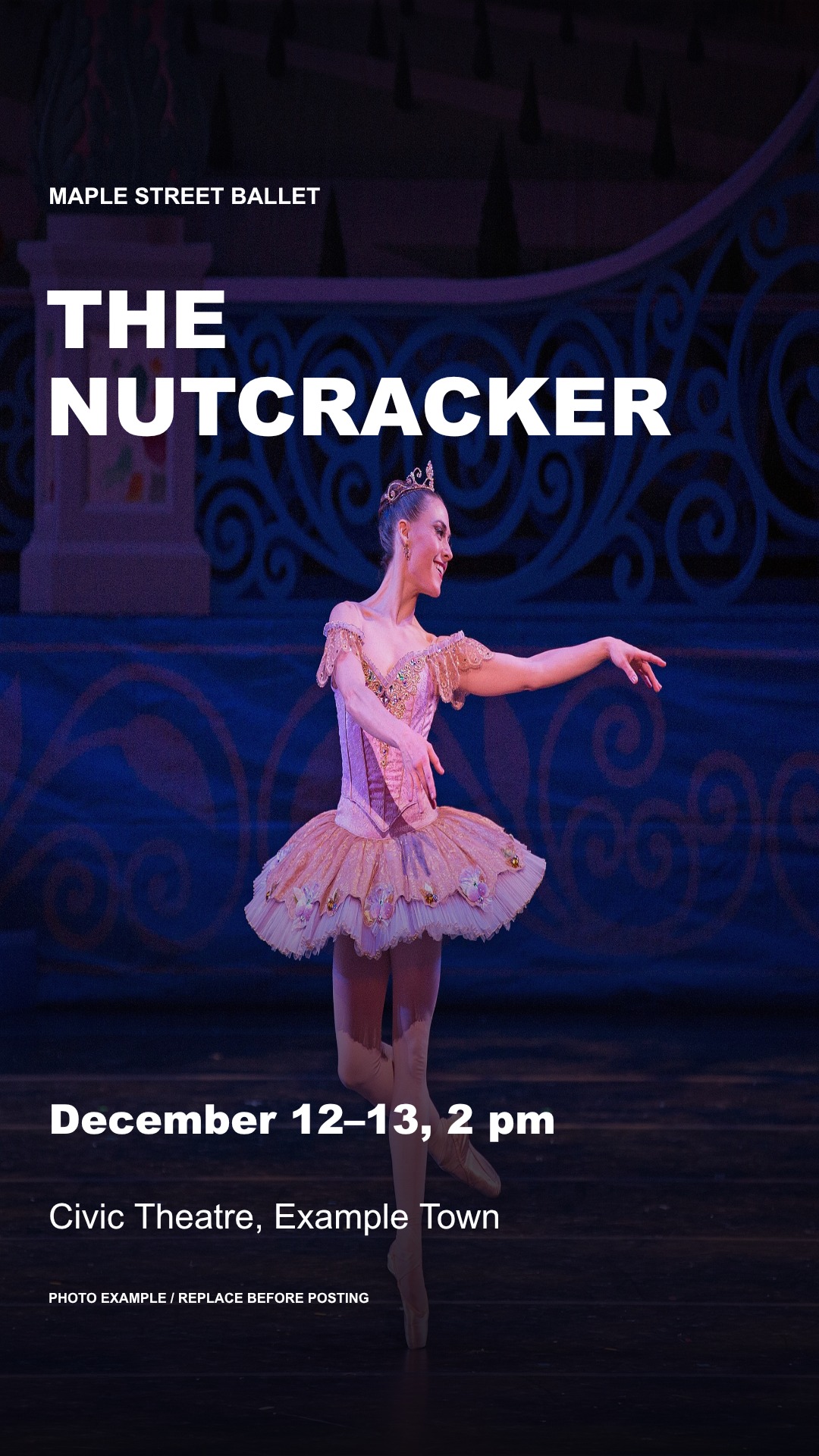
No design app handy?Use an approved photo from your own production with this caption. A designed graphic is optional.
02 / YOUR CAPTION
Copy. Add your details. Post.
Replace every [bracket] with confirmed information before publishing. This caption is for Instagram.
Your holiday plans start here.
[Studio] presents The Nutcracker at [Venue] in [Town] on [Dates and times].
[One true reason to come: a beautiful Snow scene, a local holiday tradition or a special guest.]
Choose your performance and plan your visit through the ticket link in our bio.
Who would you bring?
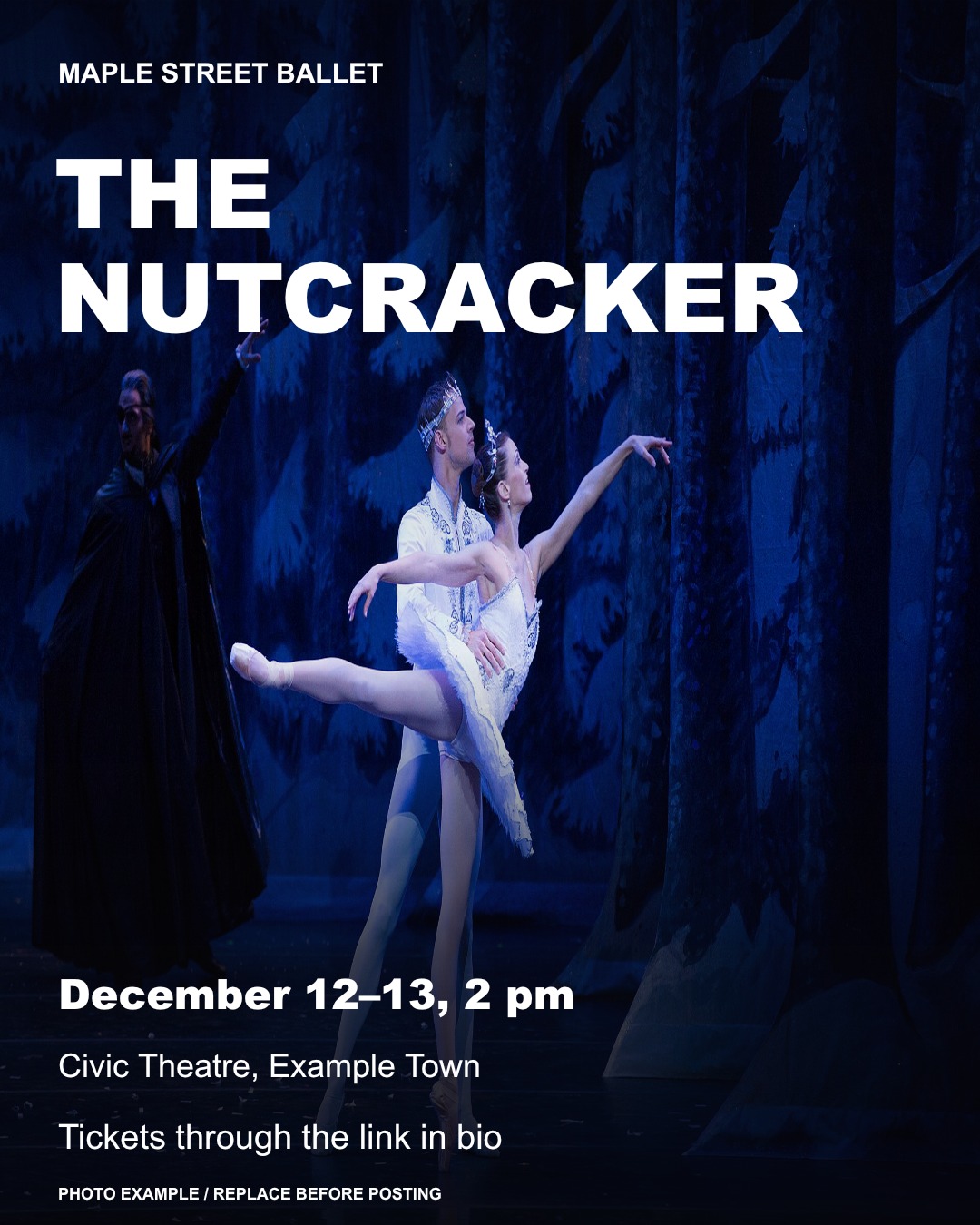
Choose your photo. Use your own approved image, or replace the photo and details in template 01. Remove the example label after replacing them.
Make it yours. Add your studio, town, venue and the correct performance date. Check cast details and permissions.
Check the ticket route. Put the working ticket link in your bio, publish and share to Stories with a link sticker. On Facebook, include the ticket URL in your caption.
Tickets not on sale yet? Replace the booking invitation with your confirmed on-sale date. Do not send families to an unavailable checkout.
YOUR NEXT STEP, IF YOU WANT A HAND
Keep the magic. Get help with the marketing.
You have a show to put on. Tell us what you need help with, and ask BWC for relevant options by email.
Editing your existing footage
Promotion for your production
Social media support
A clearer ticket page
No call required. No commitment. The entire toolkit stays free and open.
The ticket launchThe local invitationThe show-details Story
Design examples use fictional show details and credited reference photographs. Replace them with your own approved production photos and confirmed information before posting. Photo credits and licenses.
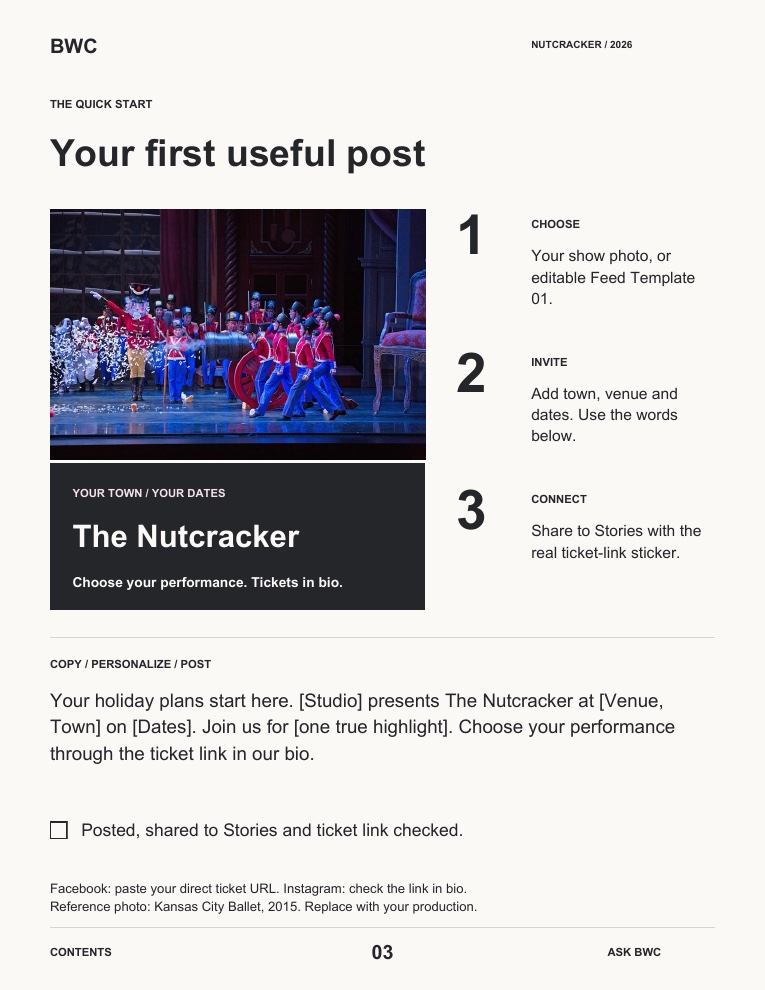
My first post: what do I change? Four quick steps
Open the feed templates and choose the first design, “The Nutcracker.”
Replace the example photograph with your own approved image. In PowerPoint, use the Selection Pane to select the picture behind the lettering, then Change Picture.
Replace every [bracket], check your dates and venue, and remove the “Photo example” label once your own image is in place.
Export that slide as an image. Pair it with the ticket-launch caption below and put your ticket link in your Instagram bio. For Stories, add a ticket-link sticker in Instagram.
Check the crop and line breaks on your phone. Keep faces, hands and feet visible, and make sure the white text has enough contrast.
Email yourself the link to The Nutcracker Marketing Toolkit. Add a question if you’d like Lucas and the team to help with your next step.
Prefer to keep reading? The complete guide is open below.
You are inviting families to a holiday experience—not asking strangers to appreciate a rehearsal they know nothing about. Show the feeling. Explain the visit. Make booking easy.
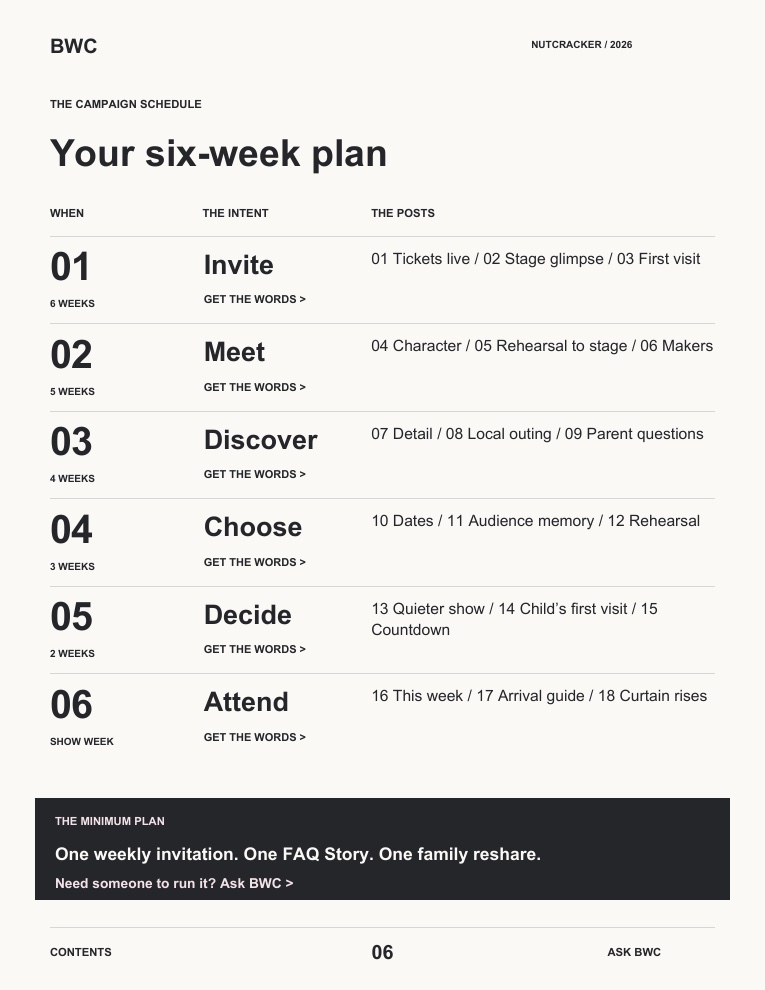
01 / MAKE A SMALL, REPEATABLE PLAN
Match your next move to your opening night.
A starting rhythm, not a rule: two useful posts, one email and a few Stories each week. Adapt to your audience’s response and how much time you have.
6+ WEEKS OUT
Make the invitation clear.
Test booking, publish the event page, pin the launch post and give cast families a shareable invitation.
This week: one clear place to buy.3–5 WEEKS OUT
Give people a reason to care.
Share a stage highlight, answer first-visit questions and contact three relevant local partners.
This week: reach beyond cast families.8–20 DAYS OUT
Help them choose a date.
Feature the performance with the most seats to fill. Send a useful reminder with its direct booking link.
This week: turn interest into a plan.FINAL 7 DAYS
Remove the last hesitation.
Show what is coming, answer logistics and share accurate availability. Give ticket holders arrival information.
This week: clarity, not panic.
The 10-minute ticket-page check Open checklist
Ask someone outside the cast to find these without messaging you:
The Nutcracker, your studio / company name, town and venue.
Every performance date and start time; correct cast dates where relevant.
Prices and any additional fees before the final purchase step.
Running time, intermission, age guidance and child-ticket policy.
Parking, accessible seating / assistance and a contact for questions.
One obvious “Choose your performance” button—not a maze of unrelated links.
Test up to the payment step. Do not place a test purchase unless your box office has a safe test process. Do not borrow another company’s age or accessibility policies.
02 / BORROW THE WORDS
Eight shortcuts for a busy show week.
Open what you need. Copy it. Replace every [bracket] and check the facts before sending. On Instagram, use your profile ticket link or a Story link sticker rather than relying on a caption URL.
01The ticket-launch caption+
Pin this post. Give a new visitor the essentials in one place.
Make a little room for wonder this holiday season.
[Studio / Company] presents The Nutcracker at [Venue] in [Town], [Dates and times].
[One real reason to come: a beautiful snow scene, a local holiday tradition, a special guest artist.]
Tickets from [accurate price, with fee information]. Choose your performance and seats: [Ticket link].
First visit? Find running time, age guidance and venue details on the booking page.
02Three Stories that lead to tickets+
Use one short clip per frame. Put a ticket-link sticker on frames 2 and 3.
STORY 1 — Show your strongest stage or rehearsal moment.
Text: Your holiday outing, right here in [Town].
STORY 2 — Show a different moment.
Text: The Nutcracker • [Dates] • [Venue].
Link sticker: Choose your performance.
STORY 3 — Use a clear, uncluttered background.
Text: Planning a visit with children? Check [confirmed running time] and our age guidance before booking.
Link sticker: See details & book.
03The invitation cast families can forward+
Send to your adult parent / guardian contacts. Make sharing optional; never put sales pressure on children.
Hello families,
We are excited to share the work going into this year’s Nutcracker. If you would like to invite friends or family, here is a message you can forward. Please check your dancer’s confirmed cast dates first. Thank you for helping our community discover the show!
— FORWARD THIS —
We would love to see you at The Nutcracker! [Studio / Company] performs at [Venue, Town] on [Dates and times].
Our dancer is scheduled for [confirmed performance(s); casting may change]. Pick your seats here: [Ticket link].
You do not need to know ballet to enjoy a holiday outing together.
04The past-attendee email+
Send only to people you are permitted to contact. Use your email platform’s unsubscribe option.
SUBJECT: Your next Nutcracker memory starts in [Town]
Hello [First name],
The Nutcracker returns to [Venue] on [Dates], and we would love to welcome you back.
This year, [one confirmed detail that makes your production special]. Whether you bring the same familiar faces or someone seeing ballet for the first time, start by choosing the performance that works for you.
CHOOSE YOUR PERFORMANCE: [Ticket link]
Before you book: [running time and intermission], [age guidance], [accessibility information link].
Warmly,
[Name / Studio]
05The local-partner invitation+
Personalize for a library, school newsletter, family venue or local business. Ask their sharing rules first.
SUBJECT: A local holiday outing for your community
Hi [Name],
I am [Name] from [Studio / Company] in [Town]. We are presenting The Nutcracker at [Venue] on [Dates].
Would this be a fit for your community calendar or family newsletter? I can send one approved image and the short listing below. Please let me know your submission guidelines.
The Nutcracker — [Studio / Company]
[Date / time] • [Venue, Town]
[One-sentence description of your actual production]
Tickets and visitor information: [Ticket link]
Thank you for considering it,
[Name]
06The first-time-family FAQ post+
A plain carousel or a teacher speaking to camera. Replace every bracket with your venue’s actual policy.
Your first Nutcracker? Here is what to know before you book.
• How long is it? [Running time, including intermission.]
• What ages is it suited to? [Your production’s guidance and venue admission policy.]
• Does every child need a ticket? [Confirmed policy, including infants if applicable.]
• Where do we park? [Clear instructions / link.]
• Need accessible seating or other support? [Venue contact / booking process.]
Choose your date and seats: [Ticket link].
Save this for the person planning your holiday outing.
07The quieter-performance reminder+
Choose the show with seats to fill. Check its inventory before posting; skip scarcity claims unless verified.
Still choosing a Nutcracker date?
[Day, date, time] at [Venue] could be your holiday outing together. [One relevant, true reason this performance suits your audience.]
Check current seat availability and book directly here: [Link to this performance].
Questions about the visit? [Box-office contact / FAQ link].
08The final-week email+
Send to eligible contacts who have not bought, if your platform can identify them. Send buyers visit information instead.
SUBJECT: The Nutcracker opens [Day] in [Town]
Our dancers are nearly ready for the curtain to rise. Would you like to be there?
[Studio / Company] presents The Nutcracker at [Venue], [Dates and times].
CHECK AVAILABLE PERFORMANCES: [Ticket link]
[One confirmed highlight or practical reason to attend.]
Plan your visit: [running time], [parking / access link]. Online booking closes [actual cutoff, only if confirmed].
We would love to welcome you,
[Name / Studio]
03 / USE THE FOOTAGE YOU ALREADY HAVE
One rehearsal. Three reasons to buy a ticket.
No complicated transitions. No new camera. Pick one idea and make a 15-second Reel.
Kathryn Morgan · Edited by BWCA performance-storytelling example, not a Nutcracker ticket-sales case study. Watch the pacing and readable on-screen context.Open video full size
REEL 1 / THE EXPERIENCE
“Your holiday outing, right here in [Town].”
0–3 seconds: your strongest stage moment. Add the hook above.
3–10 seconds: two different moments—Snow, a character or a group scene from your actual production.
10–15 seconds: studio, venue, dates and “Choose your performance—ticket link in bio.”
Use it: to introduce the show to people who do not know your studio.
REEL 2 / THE PEOPLE
“The work behind your holiday tradition.”
0–3 seconds: a dancer preparing, with their permission.
3–10 seconds: the rehearsal moment becoming a stage moment. Label different years if needed.
10–15 seconds: “See it on stage: [date, venue]. Tickets in bio.”
Use it: to give families and your community a personal reason to share.
REEL 3 / THE FIRST VISIT
“Your first Nutcracker? Start here.”
0–3 seconds: a teacher welcomes viewers to camera.
3–10 seconds: answer two real questions, such as running time and parking. Add captions.
10–15 seconds: direct viewers to the FAQ and ticket page.
Use it: when people seem interested but keep asking practical questions.
Before you use archive footage Four checks
Confirm permission to use the recording and the people shown, including parent / guardian permission for minors where needed.
Use music cleared for the specific post or ad. Permission for a performance does not automatically clear its recording for promotion.
Label archive footage by year. Do not imply last year’s dancers, sets or guest artists are in this year’s production.
Keep full movement in frame. Preview without sound and make sure the dates and invitation are readable.
04 / OPENING SOON?
Your final-week rescue plan.
Do these in order. You do not need seven new Reels.
Today: fix the bottleneck.
Check seats by performance. If people are clicking but not buying, test checkout and answer price or visit questions before making more content.
Next: invite the right people again.
Send the final-week email to eligible non-buyers. Ask adult cast-family contacts to share once. Send buyers practical visit information, not another sales push.
Then: spotlight the quieter show.
Share one compelling clip with that performance’s exact time and booking link. Confirm whether adjacent seats or a group option are actually available before mentioning them.
Every day: remove one question.
Use Stories for parking, running time, how to find tickets and genuine box-office updates. Stop scheduled sales messages when a performance is sold out or booking closes.
Skip the panic discount.
First make the value and booking path clear. If you choose an offer, confirm its margin, eligible performances, seat allocation and expiry with your box office. Never claim “last seats” without checking.
05 / CHECK SALES, NOT JUST LIKES
A ten-minute Monday check.
Use the ticketing dashboard you already have. Count paid tickets separately from complimentary tickets and holds.
By performance
Sellable seats · Paid tickets sold · Seats still available · Tickets sold this week
By invitation
Ticket-link clicks · Tracked orders / tickets, where available · Questions you keep receiving
Copy the simple tracking sheet No new software
Paste into your spreadsheet. Use one row per performance, not one total for the entire run.
Worked example—not a forecast: if you still want 120 more paid tickets and have four weeks, your average target is 30 a week. Sales will not arrive evenly; compare actual progress each week.
Few clicks? Improve the local invitation and who sees it. Clicks, few purchases? Check price clarity, dates and checkout. One show lagging? Promote that specific performance. A click is not a sale, and one order can contain several tickets.
If your ticketing platform supports trackable links, use separate links for email, Instagram and partners. Test them first. Otherwise, use a voluntary “How did you hear about us?” question; treat it as directional, not complete attribution.
WHEN THE FOOTAGE IS READY, BUT YOU ARE NOT
You rehearse the show. We can help with the edits.
Ask BWC about turning your rehearsal and performance footage into clear, ready-to-post videos. Tell us your opening date so we can confirm availability before you commit.
New clients only. You choose and supply two clips. One introductory purchase per client / organization; footage review and moment selection are not included.
Editing is not a promise of ticket sales. Confirm footage requirements, scope and delivery timing with BWC; posting, advertising and ticketing are not automatically included.
Notes and useful examples Sources & scope
This is an original BWC planning framework, not a guarantee of attendance. Use your own venue policies, confirmed production details and permission-based mailing list.
For an example of a show page that brings together the experience, ticket links and visitor details, see Boston Ballet’s Nutcracker page. Its production details are not a template for yours.
For email campaign basics, see Eventbrite’s event email guidance. The timelines, scripts and video plans above are BWC’s suggested starting points. Resources reviewed September 25, 2026.
Keep the momentum.
Find another useful guide or see what BWC creates for ballet businesses.